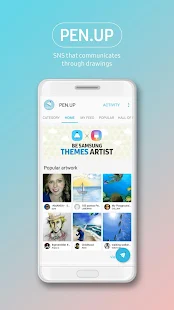
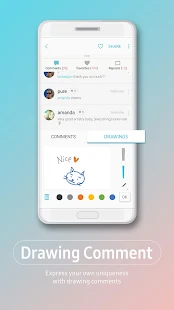
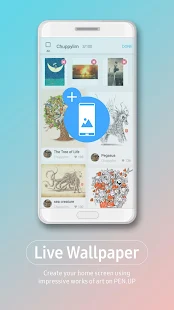
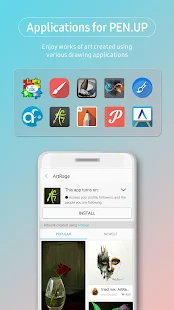
PENUP is a creative SNS based on Pen generated images. Share your imagination with global creative minds.
[Main Features]
My Feed: A customized collection of creative images for you. Follow your peers and curate your favorite images.
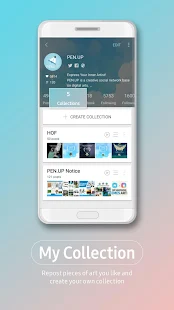
Collections: Think of Collections as your album. In addition to creating your own works, collect inspiring images from others into a collections
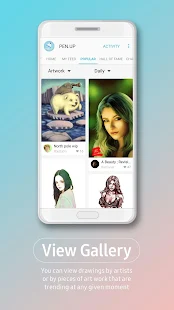
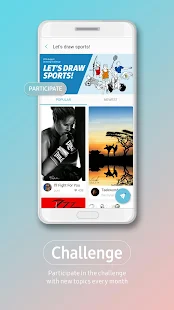
Popular : Artists and artworks on spotlight.
Hall of Fame: An exclusive space reserved for the best of the best. Star artists are featured here. Compete for your spot in Hall of Fame, where you will remembered by users around the world.
-------------------------------------------------Regarding the App Access Privilege--------------------------------------
The following permissions are required for the app service. For optional permissions, the default functionality of the service is turned on, but not allowed.
[Mandatory Access Privilege]
- Contacts : To get an account information when signing in to PENUP with Samsung Account, Facebook, Google, or Twitter account
[Optional Access Privilege]
- Storage : To upload a drawing to PENUP or download a drawing from PENUP
If your system software version is lower than Android 6.0, please update the software to configure App permissions.
Previously allowed permissions can be reset on Apps menu in device settings after software update.
[Main Features]
My Feed: A customized collection of creative images for you. Follow your peers and curate your favorite images.
Collections: Think of Collections as your album. In addition to creating your own works, collect inspiring images from others into a collections
Popular : Artists and artworks on spotlight.
Hall of Fame: An exclusive space reserved for the best of the best. Star artists are featured here. Compete for your spot in Hall of Fame, where you will remembered by users around the world.
-------------------------------------------------Regarding the App Access Privilege--------------------------------------
The following permissions are required for the app service. For optional permissions, the default functionality of the service is turned on, but not allowed.
[Mandatory Access Privilege]
- Contacts : To get an account information when signing in to PENUP with Samsung Account, Facebook, Google, or Twitter account
[Optional Access Privilege]
- Storage : To upload a drawing to PENUP or download a drawing from PENUP
If your system software version is lower than Android 6.0, please update the software to configure App permissions.
Previously allowed permissions can be reset on Apps menu in device settings after software update.
REVIEWS
3.9
12,178 total
56,631
41,822
31,174
2472
12,079
I don't want this app. 8 turned off auto updates yet it keeps updating. If you don't have tools in real life then whatever have fun but I rather do everything in real life. My mistakes represent something I don't erase nor do I edit or copy it. It's meaningless if I can start over and do the same thing.
Aljaz Bolta
I really like this app, it's one of the reasons I enjoy my Note 8 so much. But I've lost a couple of colouring attempts because there seems to be no autosave function present. Please add such functionality to this otherwise very pleasant app.
Jaffa man
So when I save a colouring in and come back to it later... The colour has smeared about 10 pixels left or right so the image now has to be redone. Every single time. Please fix this. Otherwise it's pointless colouring in. Will 5 star once fixed though
amadeus drayton
The app has the right idea, but images uploaded don't always show that perfect resolution, that's a BIG PROBLEM. It's embarrassing when you present a piece of work that took days to paint or draw, and it looks like a 4 year olds finger painting, due to resolution issues.
WHAT'S NEW
[New features in 2.7.01.13]
• Enjoy the fantastic Coloring feature.
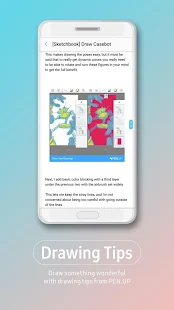
• Draw beautiful artwork directly in the PENUP.
• The Bixby feature is supported for some main views in the Galaxy Note8.
• The right-to-left (RTL) layouts are supported.
• GUI improvements
- Get link
- X
- Other Apps
Labels
PENUP - Share Your Drawings
Labels:
PENUP - Share Your Drawings
- Get link
- X
- Other Apps
Comments
Post a Comment